Hi there,
Is it possible to report on groups that are set up at course level?
I would like to pull course completion for only for individual groups.
Thank you 🙂
Hi there,
Is it possible to report on groups that are set up at course level?
I would like to pull course completion for only for individual groups.
Thank you 🙂
Hi Nana
It is possible to get course reports such as course completion, activity completion and grades based on a group by selecting the group as a filter if you have separate groups.
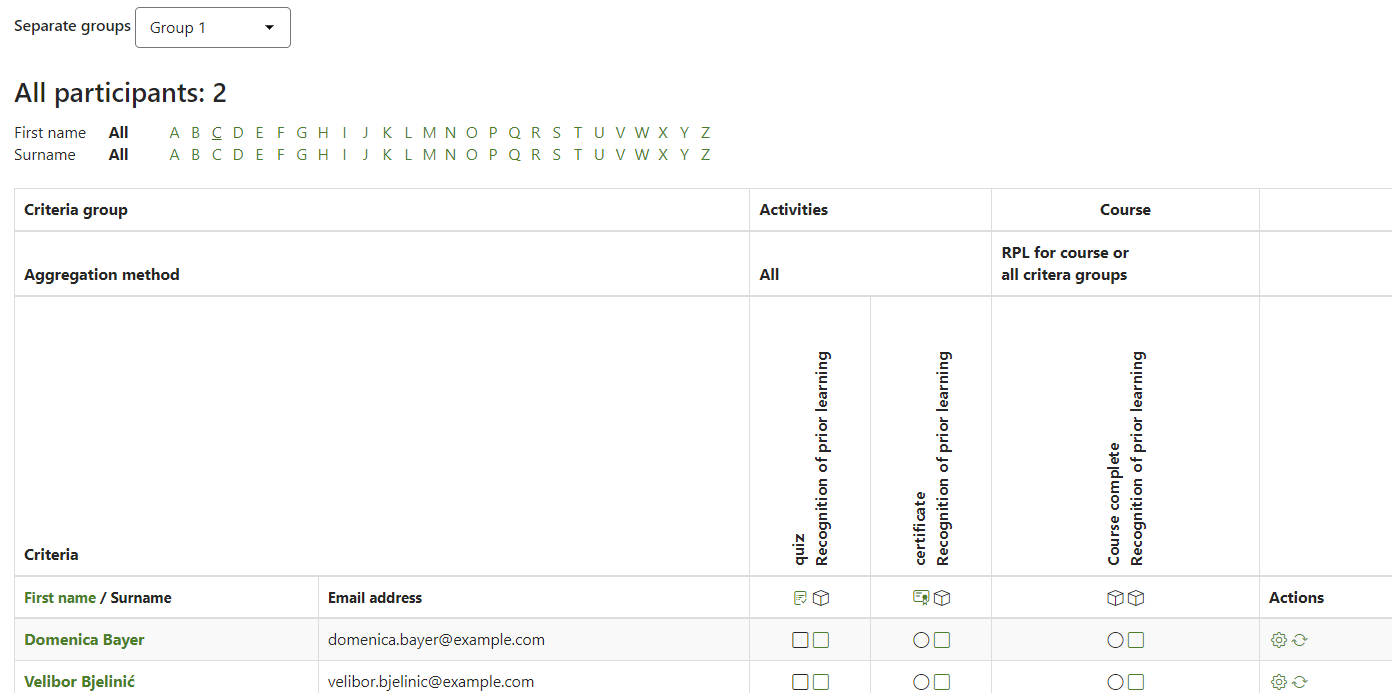
Note - if you disable the permission Access all groups for a role then the user in this role will only be able to see groups they are a member of.
regards
Hi,
How can we set up email notification for a group teacher?
I need a scheduled report that has a group filter. Ideally, it would run to all group teachers/admins we have in a course. A course group has an associated group teacher/admin.
Hi Nana
We use Groups a lot as we train apprentices that are organised into groups (I call them Teaching Groups) We have added a field in the user profile "Teaching-Group". This data is used to add them to relevant Dynamic Audiences that are then enrolled into specific courses using Audience Sync, where you can easily create a group. The Course is set up to run Activities as Separate groups to keep the users separated in their groups.
As Craig has said, you can produce a course completion or Activity completion from inside the course. Or look at activity results, such as quizzes, as a group.
Using the Profile field, you can run a Site-level Course completion/progress Report using the Teaching Group. This provides a high-level report to help you easily identify those who need the most assistance, before delving deeper.
Happy to help.
Cheers
Stephen