Hello everyone, is there an option to see an overview of learning objects assigned to audiences so that I can easily identify what audiences are currently being used for course assignments? Thank you in advance for your help.
Totara Learn Open Discussions
Identifying audiences assignment.
Identifying audiences assignment.
Re: Identifying audiences assignment.
Hi Jakub
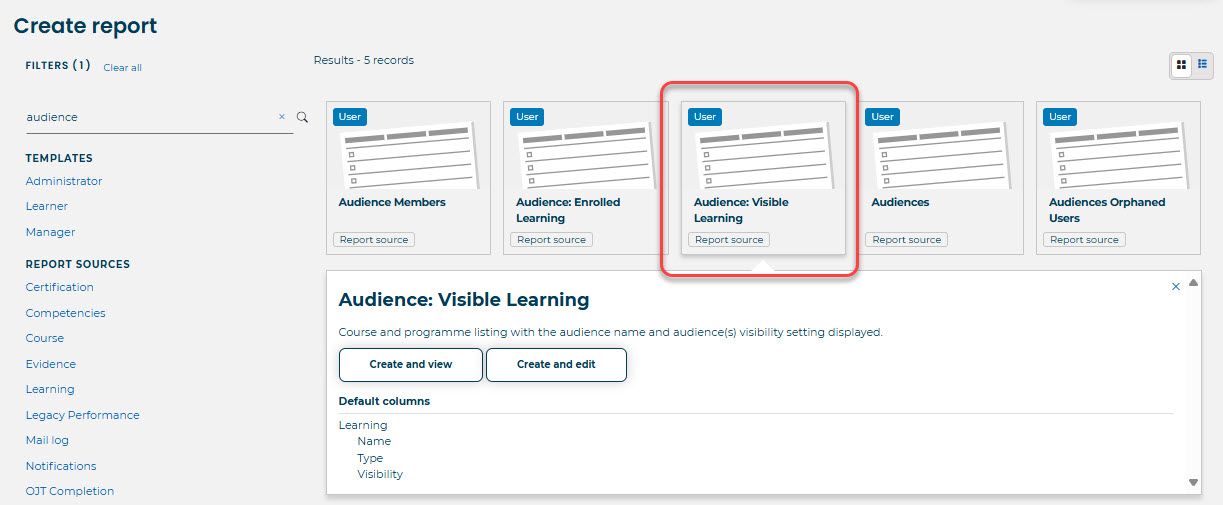
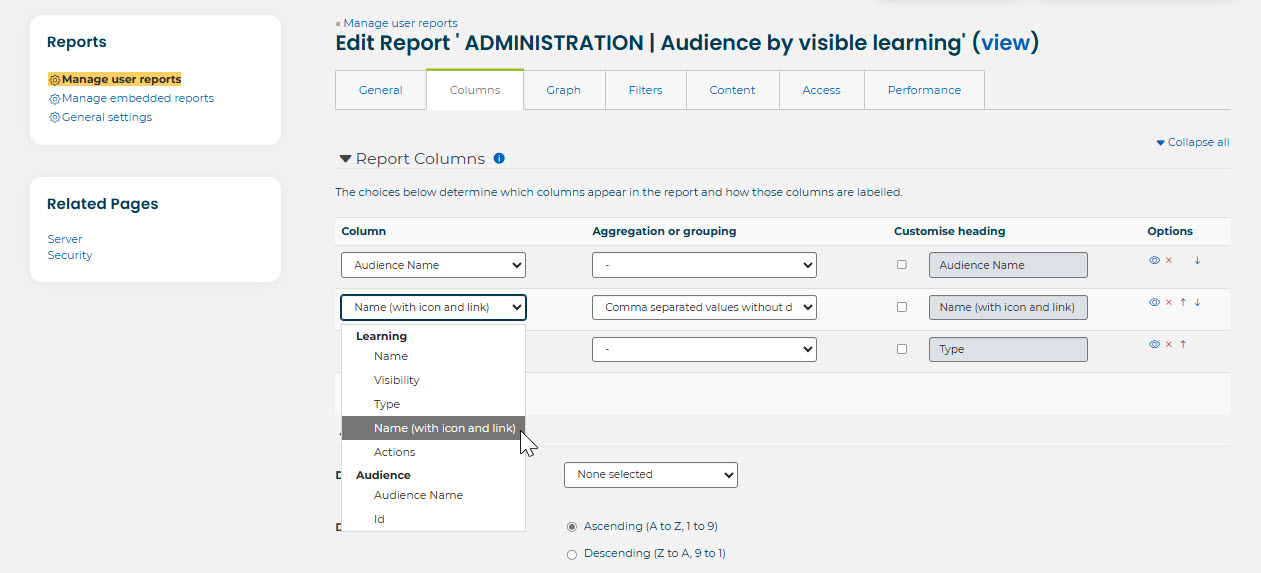
In report sources, choose 'Audience: Visible Learning'. Then the columns you want to include are:
Audience name (or ID) first
Type (if needed)
Learning : name
If you add the above and group the Learning items by 'Comma separated values without duplicates', this will give you one row per audience name, per type, with all learning items listed.
Type is whether it is a course, certification or program that the audience is assigned to.
Screenshots are attached.
Kind regards
Jane
Re: Identifying audiences assignment.
It's perfect, thank you!
Re: Identifying audiences assignment.
A little correction- this report only allows to see for which audiences a course is visible, you cannot see which audiences are actually enrolled to a course. Please correct me if I'm wrong
Re: Identifying audiences assignment.
If you want enrolled audiences, use the 'Audience: Enrolled Learning' report source - it's next to the one I screenshotted above. The same settings should work