Totara Learn Open Discussions

Adding unlisted Vimeo with Media Tool

 
Peter Bright
Adding unlisted Vimeo with Media Tool
de Peter Bright - Sunday, 9 de November de 2025, 20:07
Grupo Partners

Hi Folks,

Q1: Has anyone successfully added an 'Unlisted' Vimeo video using the Media Tool > Video > Video source URL?

Q2: Was this with Consistent Cleaning (HTML Purification) enabled?

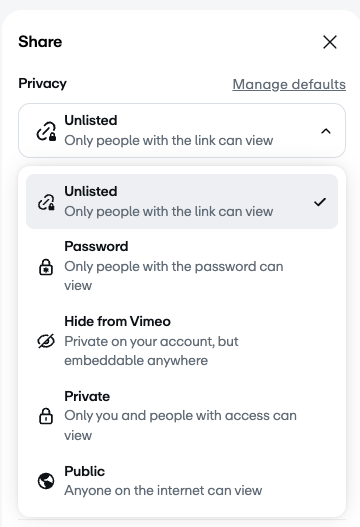
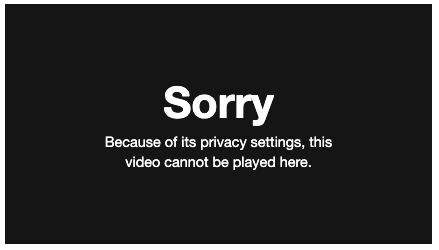
Vimeo videos with Privacy set to Public or Private work for me but Unlisted doesn't.

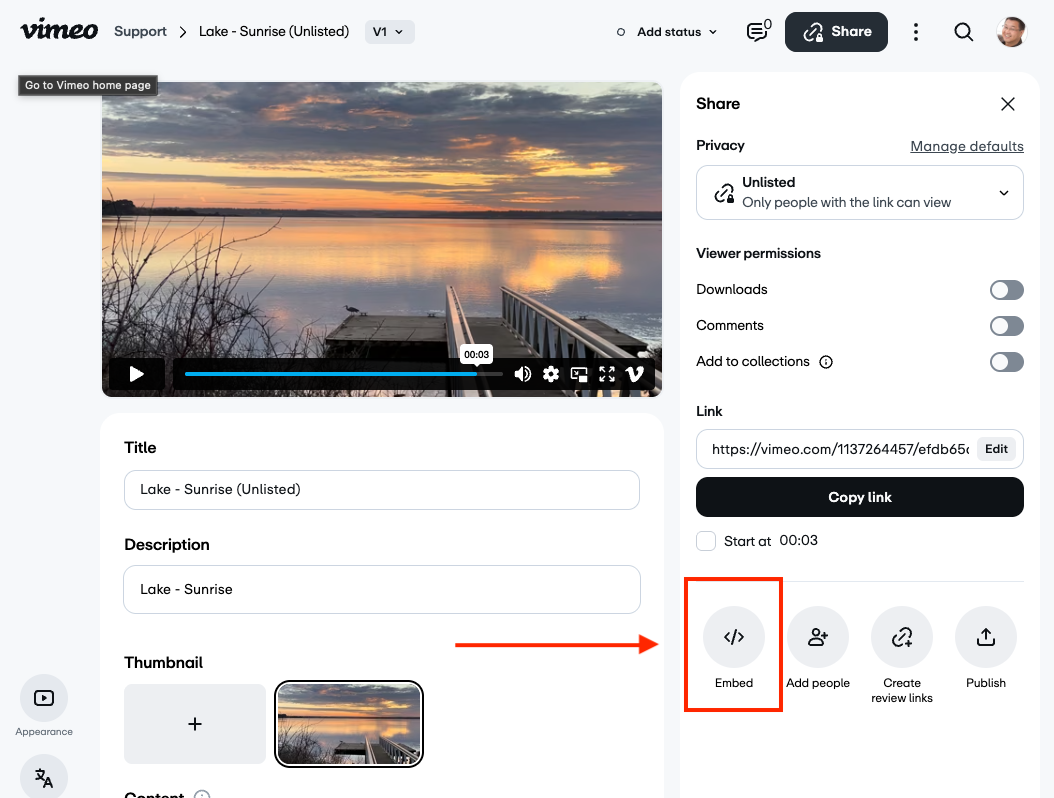
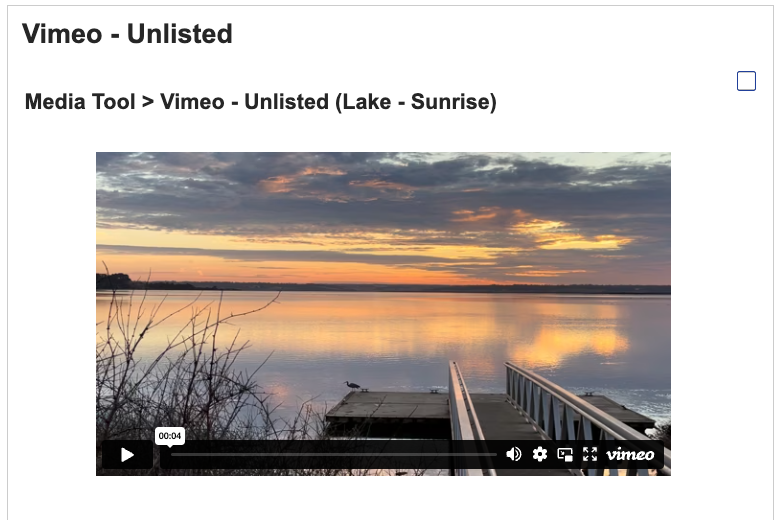
See attached screenshots

Regards,

Peter


Peter Bright
Re: Adding 'Unlisted' Vimeo with Media Tool
de Peter Bright - Monday, 17 de November de 2025, 12:11
Grupo Partners

Problem solved!

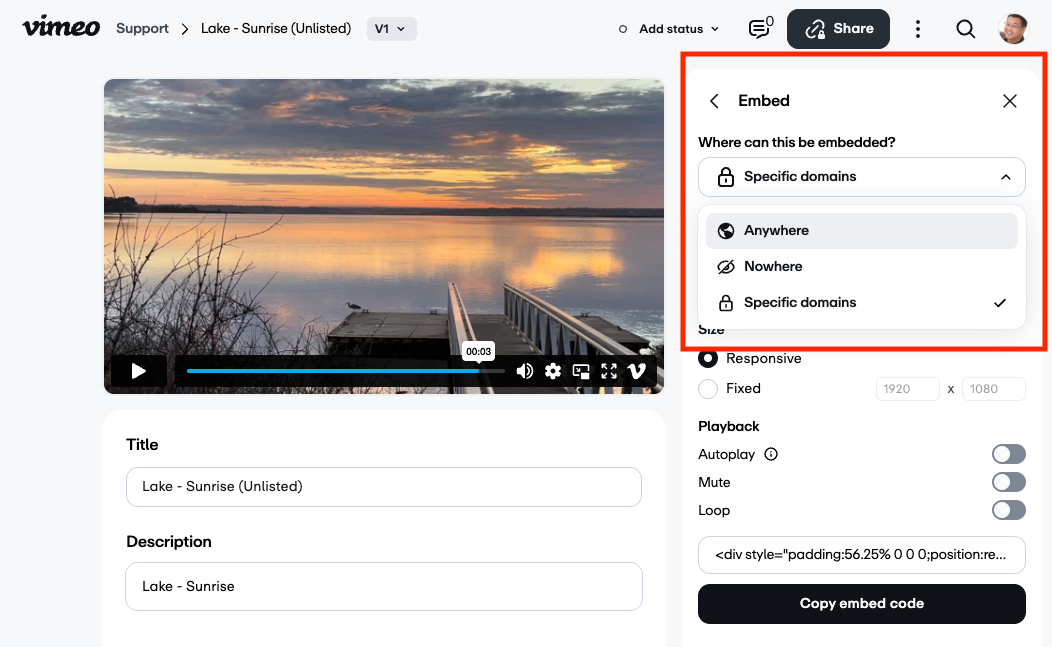
As I was using the Link (URL) in the Media Tool > Video source URL field, I didn't think I needed the Embed code so had set the 'Where can this be embedded?' option to 'Nowhere'.

When I changed the 'Where can this be embedded?' to 'Anywhere' or 'Specified domains' and selected the domain of the Totara server I was using, the video appears.

Summary:
To use an Unlisted Vimeo in Totara's Media Tool > Video source URL field,
you must set the Embed > 'Where can this be embedded?' to 'Anywhere' or 'Specified domains'.


Peter Bright
Re: Adding 'Unlisted' Vimeo with Media Tool
de Peter Bright - Monday, 17 de November de 2025, 14:02
Grupo Partners

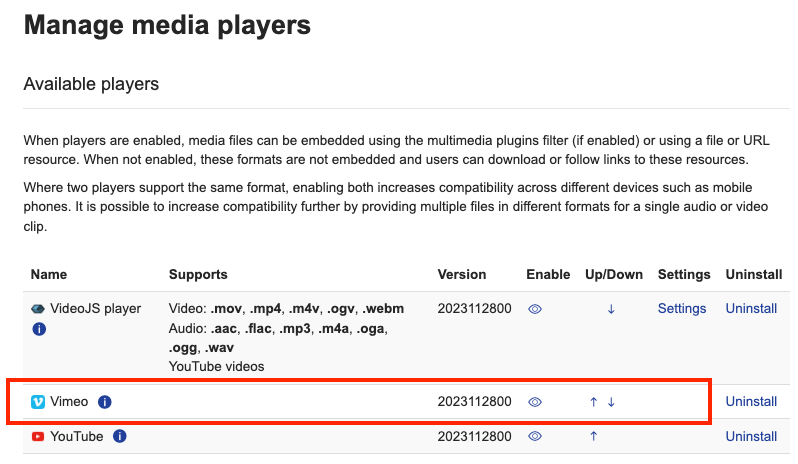
Note: To use Vimeo in the Media Tool, you need to have Vimeo enabled under Manage media players.

[domain]/admin/settings.php?section=managemediaplayers


Peter Bright
Re: Adding 'Unlisted' Vimeo with Media Tool
de Peter Bright - Monday, 17 de November de 2025, 14:04
Grupo Partners

Just confirming, this is now working on a site with Consistent Cleaning (HTML Purification) enabled.