Totara Learn Open Discussions

Edit text of Request approval "box" for event sign up.

 
Jason Palmer
Edit text of Request approval "box" for event sign up.
door Jason Palmer - Saturday, 28 March 2026, 16:37 PM
 

Edit text of Request approval "box" for event sign up.

Hi folks,
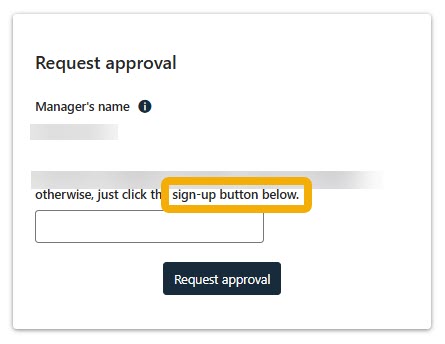
I really need some help. I am trying to edit the text within a request approval "box" I have previously edited text for declare an interest, however, can't seem to find where to edit this specific text. I'd like to be able to edit the circled text (in the image below).


I did this previously by going into Cog > localisations > Language customisation

But I have to be honest, I seem to be failing at the last hurdle…that is, I don't know the name of the string I should be searching for.

any help would be GREATLY appreciated.

Jason Palmer
Jason Palmer
Re: Edit text of Request approval "box" for event sign up.
door Jason Palmer - Saturday, 28 March 2026, 17:17 PM
 

PLEASE IGNORE I FOUND THE SOLUTION

Sarah Paisley
Re: Edit text of Request approval "box" for event sign up.
door Sarah Paisley - Sunday, 29 March 2026, 13:36 PM
Groep Learn Site AdministratorGroep V18 Program Complete

Hi Jason. Can you please share the solution?

Natalia Kurikova
Re: Edit text of Request approval "box" for event sign up.
door Natalia Kurikova - Sunday, 29 March 2026, 14:32 PM
Groep Helpful contributor 2024Groep Learn Site AdministratorGroep Most helpful contributor 2023

Hey Sarah

There's a setting "Show origin of languages strings" in Site Admin: "If enabled, language string components and identifiers are displayed when ?strings=1 or &strings=1 is appended to the page URL", so that's a quick way to find which language string to customise.

Jason Palmer
Re: Edit text of Request approval "box" for event sign up.
door Jason Palmer - Sunday, 29 March 2026, 15:20 PM
 

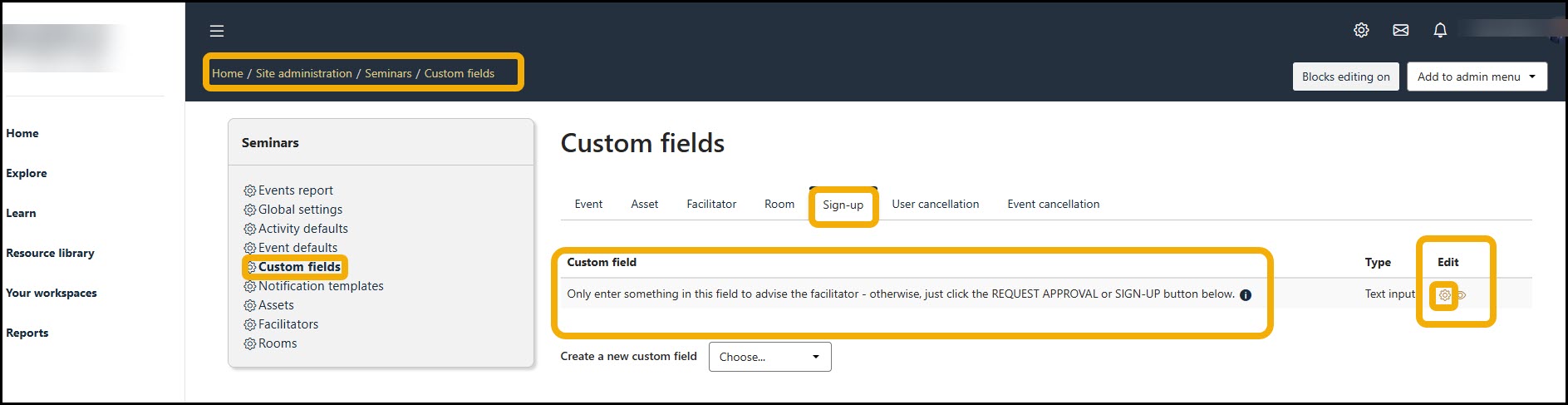
Go to Cog > Administration overview

Go to Seminars > Event defaults > Custom fields 

Click on the Sign up tab 

Click on the Cog under edit

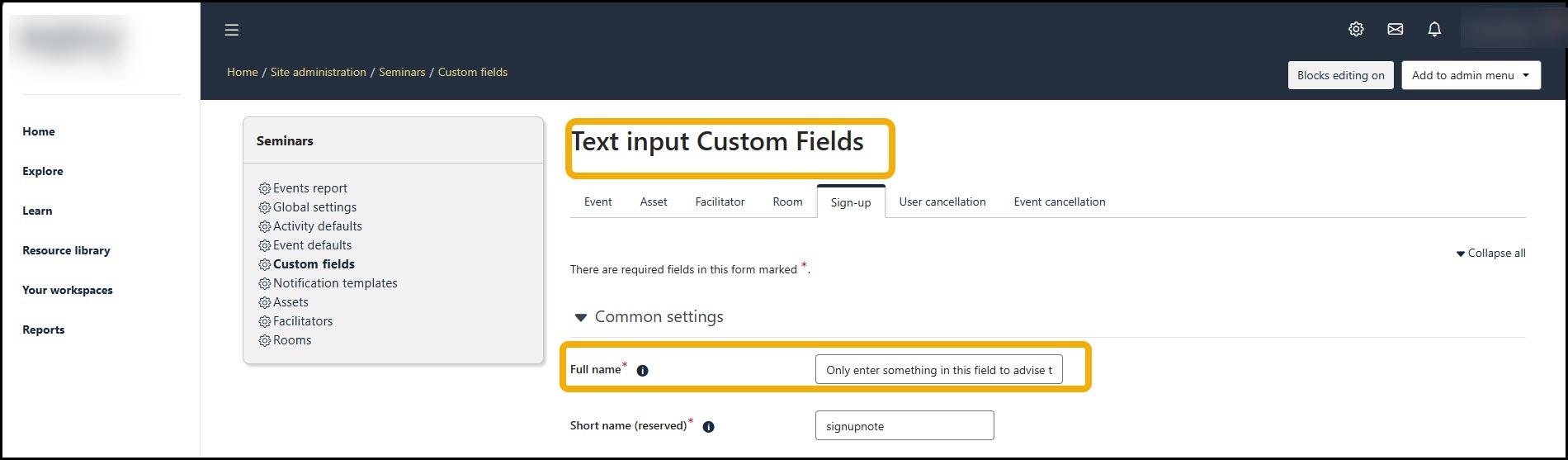
You'll then be presented with this screen:

Click into the Full name field and edit the text as required.